

 Table of Contents
Bring simplicity to your field service operations.
Our list of integrations is updated frequently. Explore each integration in its own separate page for more information.
If you need a work order template for your field service team, you are in the right place.
This guide covers two things. First, it explains every field a strong field service work order should include. Second, it shows when a basic template stops working and why teams move to digital field service systems.
Most template guides stop at the download. Real field teams need more than a blank form. They need work orders that help techs fix jobs fast, reduce call-backs, and speed up billing.
A good template creates structure. A great system turns that structure into live operational data.
A field service work order differs from a basic maintenance form.
The work happens at a customer site, not inside your own building. That means the form must support customer contact, billing, and job sign-off.
Field technicians also work on their own in the field. They need every key detail before they leave for the job. Missing data leads to delays, repeat visits, and extra office calls.
A strong work order template improves first-time fix rates. It also speeds up invoicing and improves customer trust.
Poor templates create hidden costs. Techs waste time finding site contacts, looking up asset history, or waiting for missing approval details.
A professional field service work order should include clear sections for scheduling, execution, tracking, and sign-off.
Each field supports a business process. Missing fields often create delays, billing errors, or poor service outcomes.
Every work order needs a unique work order number. This number links the job to reports, invoices, parts, and service history.
Include the date issued and required-by date. These dates help teams track response times and SLA targets.
Add a priority level. Most teams use Emergency, High, Medium, and Low.
The template should also define the work order type. Common types include repair, preventive maintenance, installation, inspection, and emergency response.
Add the customer name and company name first.
The site address should include full details. Large facilities often require floor numbers, room names, or unit references.
Include the site contact name and phone number. This field helps techs reach the right person on arrival.
Add special access instructions. Gate codes, key locations, parking notes, and sign-in rules save time on site.
Enterprise customers may also require a PO number or customer reference number for billing.
Many basic templates skip access details. That mistake causes delayed job starts and frustrated technicians.
The template should include asset make, model, and serial number.
Add the exact asset location on site. Large buildings may contain many similar units.
Include the last service date and any known fault history. Repeat issues often point to deeper problems.
Asset data matters because it gives technicians context before arrival.
Digital field service systems save major time here. They pull asset details into the work order automatically instead of forcing manual lookup each time.
The job description is the most important part of the work order.
Vague notes create poor first-time fix rates. Clear descriptions help technicians arrive prepared.
Instead of writing “check boiler,” explain the actual issue. Include symptoms, fault behaviour, and suspected causes.
Add any special technician instructions. These may include safety rules, customer requests, or non-standard steps.
Some jobs also require specific tools or test gear. Listing those needs early prevents wasted trips.
Strong job descriptions reduce repeat visits. They also reduce calls back to dispatch teams during the job.
The work order should list expected parts before the visit starts.
Include part name, part number, quantity, and estimated cost.
The technician should also record the actual parts used during the job.
Add a section for unused or returned parts. This helps inventory teams track stock movement correctly.
Parts data links field service to inventory management.
Paper-based templates create extra admin work because staff must transfer parts data into other systems later.
Include estimated labour hours before work begins.
Technicians should then log actual labour hours after completion.
Track travel time separately from labour time. Many companies bill these hours differently.
The form should also include an overtime flag when extra hours apply.
Add technician name and ID details for reporting and accountability.
Actual versus estimated labour hours reveal pricing and planning problems over time.
Teams that track this data improve job costing accuracy much faster.
The technician should describe the work completed in clear language.
Add an outcome field with options like Resolved, Partially Resolved, Parts on Order, or Escalated.
The work order should include technician signature and customer signature fields.
Record the completion date and time.
Include a follow-up section when more work is needed.
Customer signatures protect against billing disputes. They confirm the customer accepted the completed work.
Digital systems capture signatures instantly on mobile devices at the end of the visit.
Different teams use different work order formats depending on size and complexity.
Excel remains the most common upgrade from paper forms.
Teams like spreadsheets because they are easy to edit, share, and search.
Small teams can manage jobs this way for a while. It often works for companies handling fewer than 10 jobs per day.
The problems appear as workload grows. Spreadsheet versions drift apart, reporting becomes manual, and status updates lag behind real operations.
PDF and Word templates help standardise formatting.
Fillable PDFs also support digital signatures.
Still, PDFs remain static files. The data inside them does not feed reports, inventory systems, or billing tools automatically.
Teams still need manual filing and data entry after the job ends.
Digital work order systems turn static forms into connected workflows.
In a platform like Frontu, asset details load automatically from the asset database.
Parts logged during the job reduce stock levels instantly.
Labour hours feed job costing reports in real time.
Customer signatures can also trigger invoice generation without extra admin work.
The work order stops being just a document. It becomes a live operational record.
Templates work well for small teams. Problems appear when volume and complexity increase.
Your template system likely needs replacing if jobs disappear between request and assignment.
Billing delays longer than 24 hours also signal process breakdowns.
Another warning sign appears when managers cannot answer simple reporting questions quickly.
Frequent technician calls to the office for missing job details point to weak work order processes.
Billing disputes over customer approval also show that paper or static systems no longer scale well.
Three or more of these issues usually mean the business has outgrown templates.
Every field from a standard work order template exists inside Frontu.
The difference is how the data works after entry.
Asset history pre-populates automatically. Parts usage updates inventory in real time.
Labour hours feed dashboards and job costing reports without manual work.
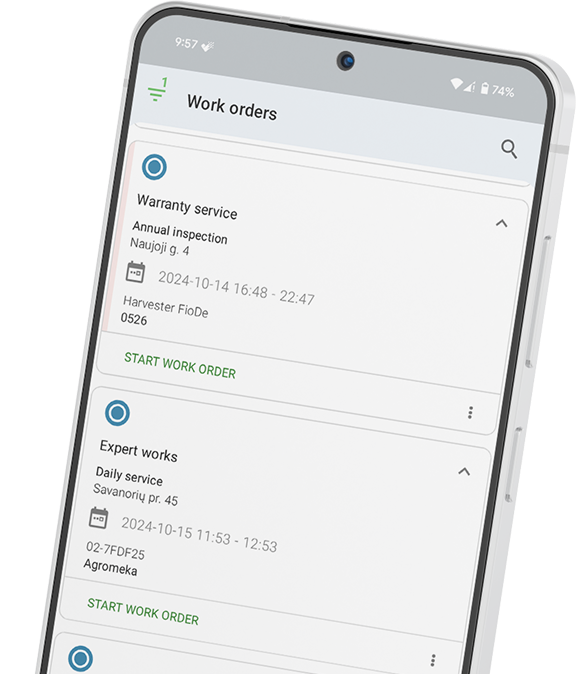
Technicians complete work orders through a guided mobile workflow. They can log parts, add notes, capture photos, and collect signatures on site.
Managers gain live job visibility instead of waiting for paperwork to return to the office.
Finance teams can generate invoices faster because completion data already exists inside the system.
Move from templates to a connected work order system and book a Frontu demo today.
A strong template should include work order number, priority, customer details, site access notes, asset details, job scope, parts used, labour hours, and signatures.
A template is a static document. FSM software connects every field to live business processes like inventory, reporting, scheduling, and invoicing.
Yes. Many teams build templates in Excel or Google Sheets first.
However, growing teams often move to digital systems once manual admin starts slowing operations down.
The job description matters most.
Clear descriptions improve first-time fix rates because technicians arrive with the right context, tools, and parts.
Digital work orders automate data flow across the business.
They pre-fill asset history, track status in real time, update inventory automatically, collect digital signatures, and support faster invoicing.




Our list of integrations is updated frequently. Explore each integration in its own separate page for more information.
Link copied!
Join 10,000+ FSM leaders. Subscribe to our monthly expert-led newsletter. We find and report on case studies, success stories and playbooks that are working out there right now.